

The Server
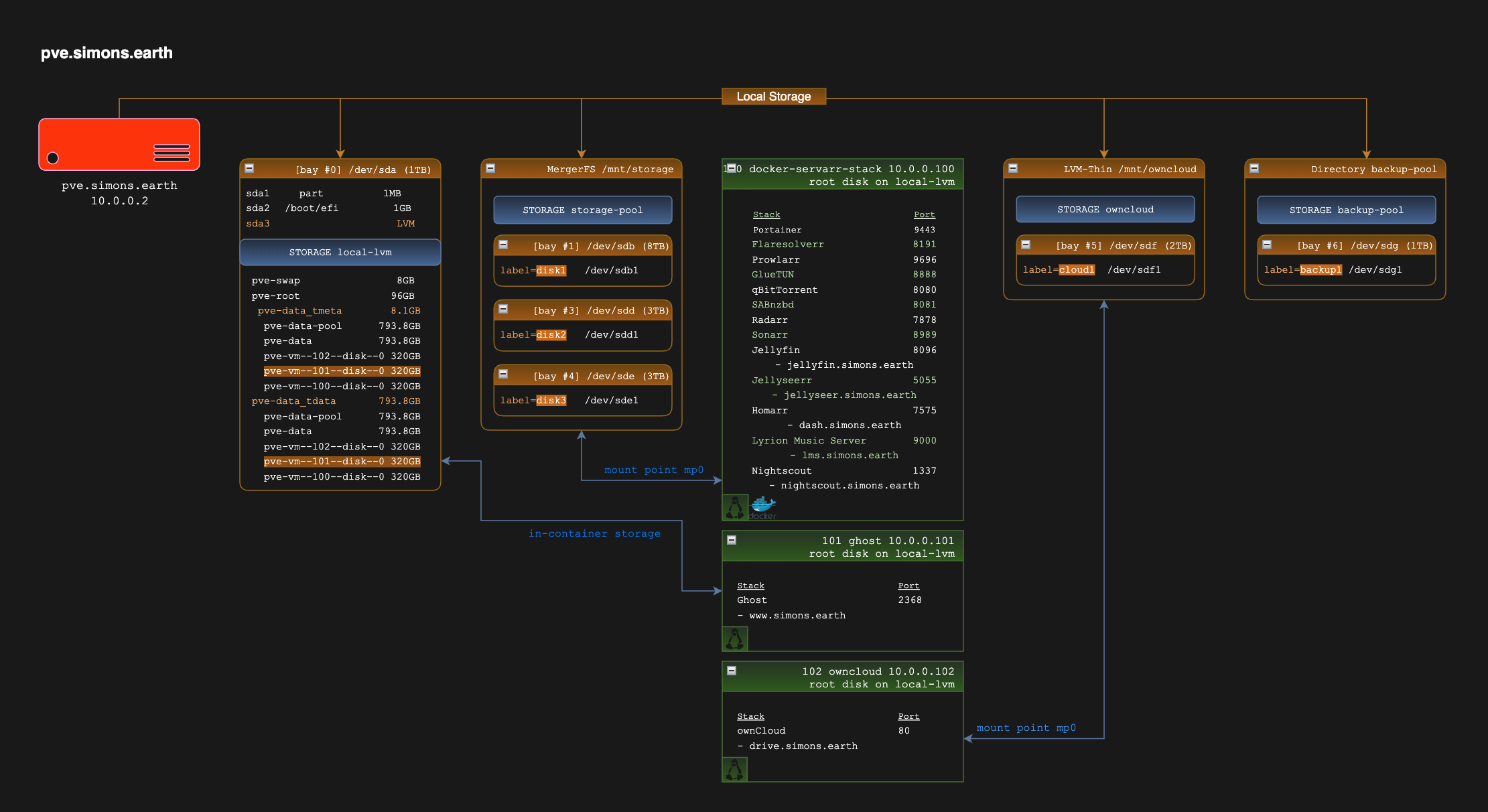
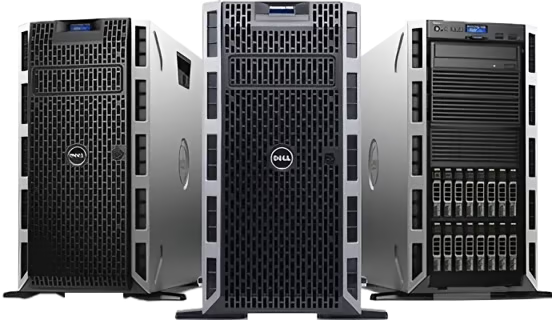
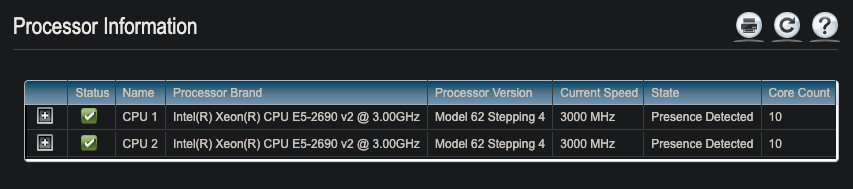
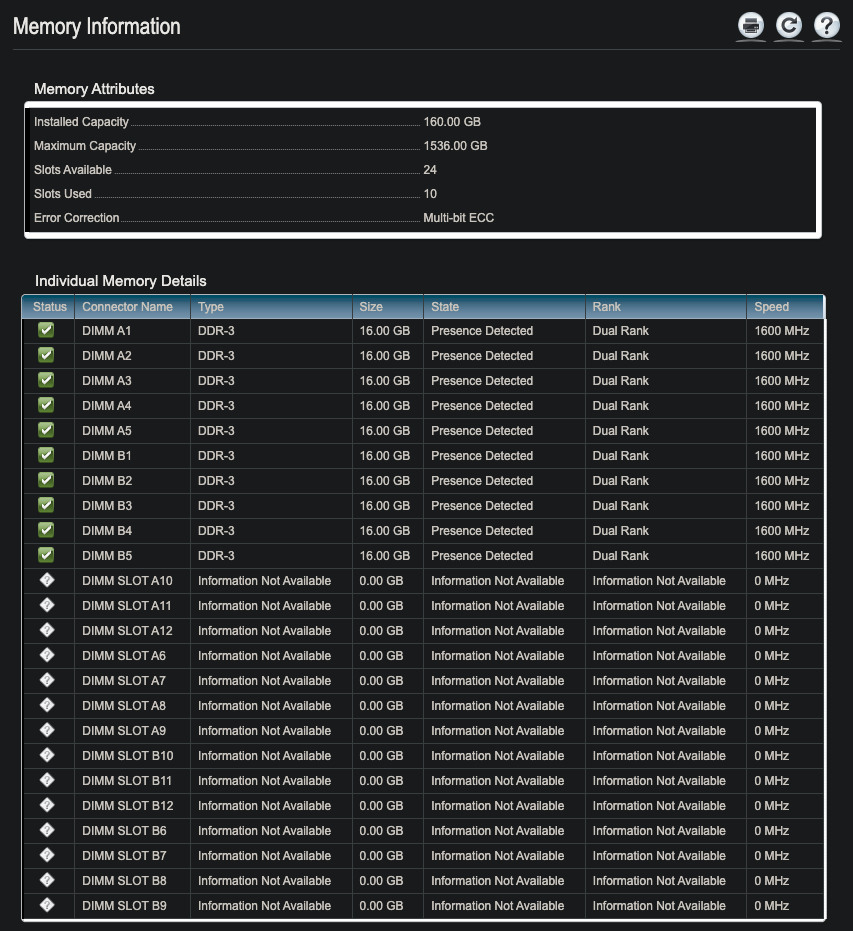
I bought an old server off eBay to tinker around with. It's a Dell PowerEdge T620 with dual Intel Xenon E5-2690v2 processors and (currently) 160GB RAM.
Why? Well, I'm an inveterate tinkerer and have always dabbled with self-hosting and linux. I'd been running my servarr* stack and a few other services on an older custom build desktop and wanted a bit more flexibility.
It came with 2 300GB HDDs that weren't really either use nor ornament, and I replaced them with a 1TB HDD (RAID0) in bay 1 and installed the latest Proxmox-VE. The chassis only had 2 drive caddies installed, so I had to wait a couple of days for another eBay delivery to get the full complement of 8 3.5" SATA caddies. I could then start to play in earnest.
Building storage
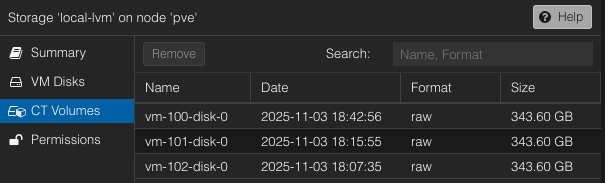
Out of the 1TB on the first disk (/dev/sda), Proxmox VE (PVE) only uses around 200GB all told and the largest logical volume (pve-data) has about 800GB. I decided to use that for at least the CT volumes and VM disks. I created a LVM-Thin volume called local-lvm, and you can see the LXCs at the time of writing here.
Servarr stack storage
Now I could begin to migrate the HDDs from the old PC to the server. I had just over (dammit!) 3TB of media on a 3TB and 2TB volume in the unRAID array so I pulled the redundant 8TB drive out and installed it in the second bay on the server (/dev/sdb).
MergerFS
I knew I wanted the media storage space to be expandable so I decided to go with MergerFS to create a unified /mnt/storage partition that I could simply add HDDs to when I wanted to increase space.
Creating the first pool disk
- I installed
mergerfs,fuse3andtree. - I cleared the existing filesystem signatures:
root@pve:# wipefs -a /dev/sdb - I created at GPT partition table and a single partition:
root@pve:# parted /dev/sdb mklabel gpt
root@pve:# parted /dev/sdb mkpart primary ext4 0% 100% - Then I formatted the partition as ext4 and labelled it
disk1:root@pve:# mkfs.ext4 -L disk1 /dev/sdb1 - Finally, I added the disk to the mount table:
root@pve:# mkdir -p /mnt/disk1
# Add to fstab for automatic mounting
root@pve:# echo "LABEL=disk1 /mnt/disk1 ext4 defaults 0 2" >> /etc/fstab# Mount itroot@pve:# mount -a
This output shows the disk after the rsync steps later, hence the 56% usage.
root@pve:# df -h /mnt/disk1
Filesystem      Size  Used Avail Use% Mounted on
/dev/sdb1       7.3T  3.9T  3.1T  56% /mnt/disk1
Setting up the MergerFS pool
- Create mergerfs pool mount point
root@pve:# mkdir -p /mnt/storage - Create mergerfs systemd mount unit
root@pve:# cat > /etc/systemd/system/mnt-storage.mount << 'EOF'
[Unit]
Description=MergerFS Storage Pool
After=local-fs.target
[Mount]
What=/mnt/disk*
Where=/mnt/storage
Type=fuse.mergerfs
Options=defaults,allow_other,use_ino,cache.files=partial,dropcacheonclose=true,category.create=mfs,fsname=mergerfs
[Install]
WantedBy=multi-user.target
EOF- Reload systemd, enable and start
root@pve:# systemctl daemon-reload
root@pve:# systemctl enable mnt-storage.mount
root@pve:# systemctl start mnt-storage.mount - Verify mergerfs is working
root@pve:# df -h /mnt/storage/
Filesystem      Size  Used Avail Use% Mounted on
mergerfs        7.3T  3.9T  3.1T  56% /mnt/storage
So in the [Mount] section above, we specified we want to add any new /mnt/disk* to be added to the /mnt/storage MergerFS pool.
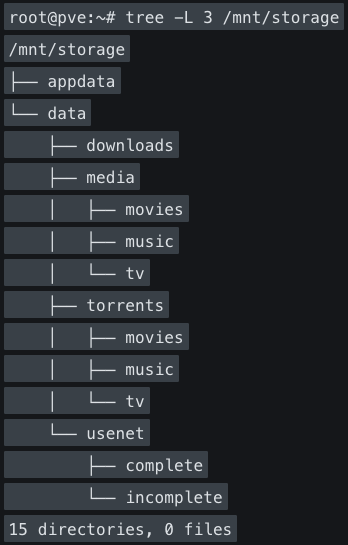
Create the TRaSH Guides directory structure
You can read the TRaSH Guide to see why this is a really good process when setting up the folder structure for the servarr stack.
- Create main data structure
root@pve:# mkdir -p /mnt/storage/data/{torrents/{movies,tv,music},usenet/{incomplete,complete/{movies,tv,music}},media/{movies,tv,music}}
root@pve:# mkdir -p /mnt/storage/data/downloads - Create appdata directory
(Optional if you want to keep your Docker appdata files in /mnt/storage too)root@pve:# mkdir -p /mnt/storage/appdata - Set Permissions
- Set ownership (UID/GID 1000 - will be used by Docker containers)
root@pve:~# chown -R 1000:1000 /mnt/storage - Set permissions (775 for directories, 664 for files)
root@pve:~# chmod -R a=,a+rX,u+w,g+w /mnt/storage - Verify
root@pve:~# ls -la /mnt/storage/
total 48
drwxr-xr-x 9 steve steve 4096 Oct 13 19:23 .
drwxr-xr-x 14 root root 4096 Oct 24 10:31 ..
drwxrwxr-x 15 steve steve 4096 Oct 17 18:54 appdata
drwxrwxr-x 6 steve steve 4096 Oct 13 19:13 data
- Set ownership (UID/GID 1000 - will be used by Docker containers)
Verify structure
Add to Proxmox storage
- Add storage pool to Proxmox for VM/LXC storage
root@pve:~# pvesm add dir storage-pool --path /mnt/storage --content images,rootdir,vztmpl,iso
Verify

Rsync media data from old server
Here I just used rsync -avz <$source> <$dest> on the original server to copy all the media files into place. It took a while!
Summary
In this article I described the server hardware that I'd bought. I talked about installing Proxmox VE on the first hard drive, and setting up the first disk in a MergerFS storage array for my multimedia on the second. I described how I'd set up the filesystem using the optimal structure for my servarr stack.
In the next article, I'll go through the steps I used to create the Docker LXC container, install portainer and the servarr app containers.

